Topic 02
KRK+ Transaction Management, Explained
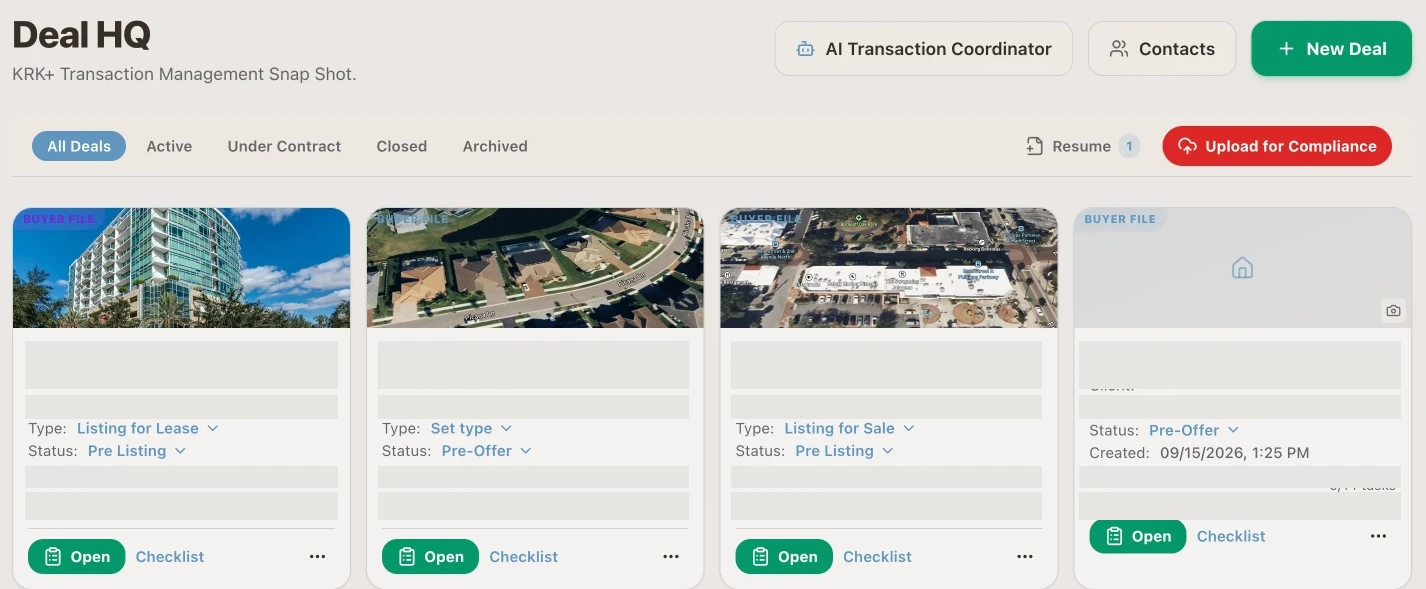
KRK+ is our own transaction platform, built in-house to be a better SkySlope. It runs your file from executed contract to closed, and it's included with every plan.
What KRK+ handles
- Contracts, checklists and compliance all run through one platform, so your file stays audit-ready from day one.
- Step-by-step transaction checklists keep every deadline, document and signature accounted for.
- Compliance review happens inside the platform, so there's no emailing PDFs around.
- One dashboard shows where every file stands: what's done, what's next and what's due.
How a deal moves through KRK+
- 1Contract executed. Open the file in KRK+ and upload the executed contract.
- 2Checklist starts. The transaction checklist lays out the documents and deadlines for that file.
- 3Documents and signatures. Each item is tracked as it comes in, so nothing goes missing.
- 4Compliance review. Review happens inside the platform, not over email.
- 5Closed. The file is complete and audit-ready.
Example: from contract to a complete file
This is an illustrative transaction walkthrough, not a screenshot or a verified example from a client file. Exact documents and deadlines depend on the contract, state, and broker’s instructions.
- Start with the executed agreement
- Open the transaction file and organize the signed agreement. Check that the correct parties, property, and signatures are present before relying on the file.
- Translate the contract into a checklist
- Work through the file’s required documents and deadlines. Confirm due dates against the actual contract; do not copy dates from another transaction.
- Resolve a missing document
- If an item is incomplete, identify what is missing, request it from the appropriate person, and add the completed document to the file. Ask the broker when a requirement is unclear.
- Review before closing out
- Check outstanding checklist items and compliance feedback. A scheduled closing is not the same as a complete transaction file.
Agent responsibility: accurate documents and timely follow-through. A transaction platform supports that work; it does not replace contract review or your broker’s guidance.
What to ask during a KRK+ demonstration
- Can you show me how to open a file and find its required checklist?
- Where do I see outstanding documents and compliance feedback?
- How do I confirm that a file is complete, and whom do I contact with questions?
Built around the brokerage
Because KRK+ is built in-house, it's designed around how Kap Rate Living agents actually work, and it improves continuously instead of waiting on an outside vendor.
KRK+ compared with paid transaction software
Many brokerages use outside tools like SkySlope and pass the cost along to agents. KRK+ replaces that separate software and is included with Core, Plus and Prime at no added cost.